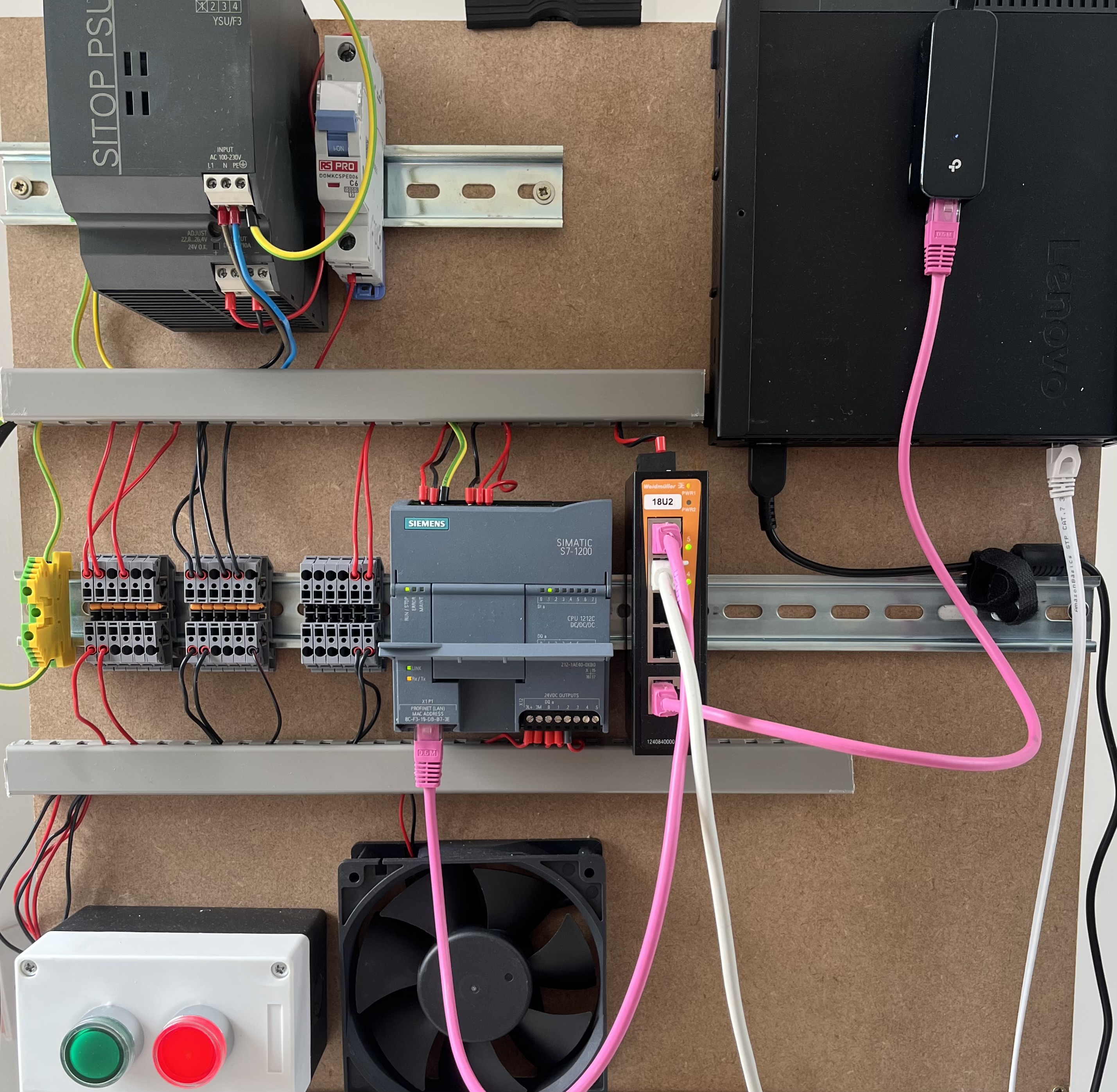
I built a factory in my home. It makes air. Well, it doesn’t make air, it just blows it around. It’s not really a factory either, it’s a bit of plywood with a bunch of devices screwed onto it. But, it’s been a great learning experience, and has given me a wonderful playground to conduct security assessments, attacks, and system tests and designs.
If you’re like me and work in OT security, or you just want to get your hands dirty with building a cool lab, this series should help you along your journey.
Disclaimer: I am not an automation engineer. I have got plenty wrong along the way and I will point those mistakes out as they come up, because the mistakes are usually more useful than the successes.
Why build an OT lab?
But you could just simulate it…
It’s not really my job to build labs, I just assess them…
That looks scary and I can’t do it…
These are all thoughts I’ve had in the past (and during the build!) that stopped me from taking the leap. There are a few good reasons to build your own lab:
-
Learning
Through this experience, I learnt a lot about automation equipment, hardware, 24VDC circuits, and PLC programming. It certainly hasn’t made me an expert but now I’m much more confident to speak on the topics. Textbooks and simulations are great for learning, but getting hands on and building things will give you a whole new insight.
-
Appreciation
On the topic of learning, this process has taught me how little I know about automation engineering. It’s a vast, complex field of study that I can’t hope to ever truly know as well as the people who do it day-in and day-out. I think it’s important to understand this, as there is a stereotype of security people thinking they know it all and just telling engineers to patch the system, it’s not that hard. Having an appreciation for the challenges engineers face will only help you when speaking with them, and finding middle ground between operational uptime and cyber security.
-
Playground
Building a lab like this gives you a great test bed to further your knowledge about industrial protocols (Modbus/OPC-UA), systems (UNS, SCADA, Historians), and design principles (Network Segmentation, Access Control). Being able to quickly spin up a new system, connect it to real hardware, and start playing, gives you an advantage over many other professionals.
Who is this for?
If you work in OT security and have never had your hands on the hardware, this is for you. If you come from IT and want to understand what makes OT different, this is for you too. And if you just want to build a PLC lab on your kitchen table, the build posts should get you most of the way there.
The Lab
The lab itself is, by all accounts, quite simple. A PLC, switch, some buttons, and a fan make up nearly all of the industrial components. I used a SIEMENS S7-1200. If you’re interested in getting one yourself, check out my buyer’s guide. The systems run virtually on a mini PC, including the firewall (because hardware firewalls are not cheap!!). In my lab, the systems don’t just include OT systems, but also a few IT ones too, to add a level of realism and more attack (and learning!) vectors.
I wouldn’t encourage anyone to copy and paste what I’ve done, for two reasons:
-
I am not an automation engineer, nor a systems expert, therefore, if you see something I’ve done that is dumb, don’t copy it. Instead, contact me and tell me about my stupid mistake and I’ll get it fixed!
-
Where’s the fun in that? You might spend all day working with Rockwell PLCs, not Siemens. Or with RTUs, not PLCs. You should adapt your build to best suit your needs and learning requirements.
The Series
There are 4 main parts to this series that follow a fairly logical flow.
Design
- OT Homelab Design - the high level view on the hardware build, network, and systems
Build
- The Rig - building the actual hardware-on-a-board. This won’t be extensive, step-by-step, but will include some of my choices during the build and some helpful tips to avoid the mistakes I made. This will also include configuring and programming the PLC.
- UNS - The architecture and implementation of my UNS system
- SCADA and Historian - The architecture and implementation of my SCADA and Historian systems.
- Enterprise IT - The architecture and implementation of the IT systems
Attack
- OPC-UA Recon - looking at a tool I created to scan OPC-UA servers
- Attacking the PLC - examing attacks against HTTP, S7Comm, Modbus, and OPC-UA protocols, looking at existing tools, what they really do, and what the real risks are
- Modbus MITM - looking at the process behind intercepting and manipulating Modbus traffic
Defend
- Hardening the PLC - how to reduce the attack surface of your PLC and why it’s effective at reducing real risk
- Securing the Network and Systems - hardening our OT systems, including configurations and firewall rules